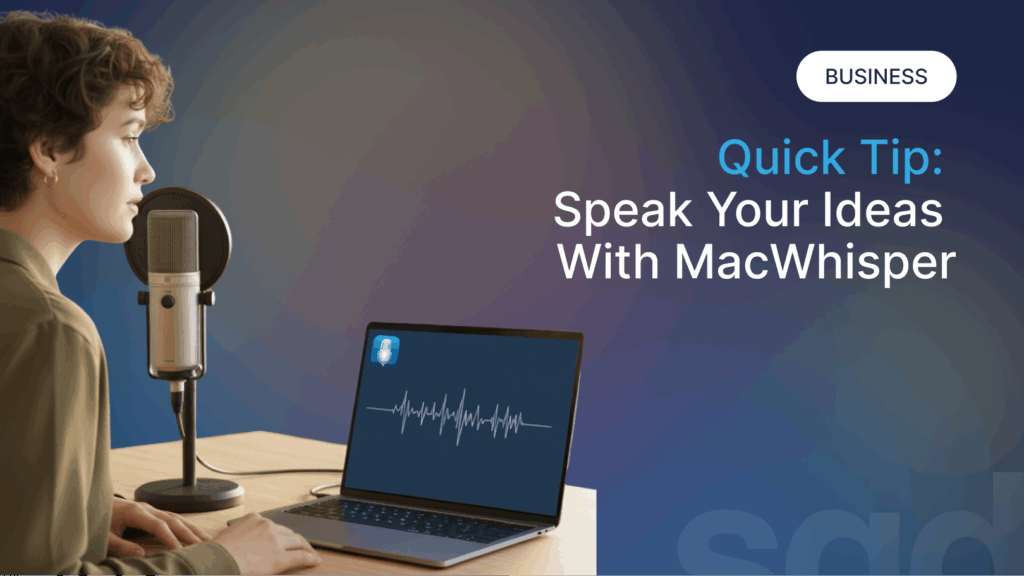
Imagine finishing a sensitive client interview, a confidential strategy meeting, or a personal voice memo, and needing it transcribed. The conventional path sends that private audio into the cloud, over the internet, to a remote server. Now, imagine an alternative: a powerful application right on your Mac that handles everything locally, with remarkable accuracy, keeping every word securely on your machine. This is the reality offered by MacWhisper, a desktop application that has redefined what it means to transcribe audio and video files by harnessing groundbreaking AI technology with an uncompromising commitment to privacy.
Developed by independent creator Jordi Bruin, MacWhisper is far more than a simple utility. It is a comprehensive, professional-grade toolkit built upon OpenAI’s advanced Whisper speech-to-text model and Nvidia’s Parakeet technology. It serves a wide array of users—from journalists and podcasters to researchers, students, and business professionals—by turning the tedious, often expensive task of transcription into a fast, secure, and surprisingly affordable process. By processing everything on-device, MacWhisper answers the growing demand for tools that respect user confidentiality without sacrificing capability. In an era where our words are frequently mined as data, this application offers a refreshing and powerful sanctuary.
What Exactly is MacWhisper and How Does It Work?
At its core, MacWhisper is a native macOS application that provides a sleek, user-friendly interface for the incredibly potent but technically complex Whisper AI model from OpenAI. Before tools like MacWhisper, accessing Whisper’s capabilities often required comfort with command-line interfaces and technical setups. Jordi Bruin’s application elegantly packages this technology into a form anyone can use: you simply drag and drop an audio or video file onto the app, and it gets to work. It supports a vast range of formats, including MP3, WAV, M4A, MP4, and MOV, making it compatible with recordings from virtually any source.
The magic behind the curtain is the Whisper model itself. Whisper is an automatic speech recognition (ASR) system trained on a massive, diverse dataset of multilingual audio scraped from the web, which allows it to understand speech with impressive nuance and context. MacWhisper leverages this by running the model directly on your Mac’s hardware. When you import a file, the app processes the audio through the selected Whisper model (like “Small,” “Medium,” or “Large”), converting spoken words into timestamped text entirely offline. This local processing is the cornerstone of its privacy promise—your sensitive interviews, internal meetings, or personal notes never leave the security of your computer.
The application is thoughtfully designed to cater to different needs and hardware capabilities. It offers multiple Whisper models, balancing speed and accuracy. The free version provides access to smaller, faster models, while the Pro version unlocks the larger, more accurate models and a suite of advanced features. This flexible approach ensures that whether you’re on an older Intel Mac or a cutting-edge Apple Silicon machine, MacWhisper can deliver valuable results. Its efficiency is notable; on modern M-series Macs, it can transcribe audio up to 30 times faster than real-time, turning an hour-long conversation into text in just a couple of minutes.
The Unbeatable Advantages of Choosing MacWhisper
The decision to use MacWhisper over other transcription services hinges on several compelling advantages that address common user frustrations. For many professionals, the paramount concern is privacy and security. In a landscape dominated by cloud-based services where audio is uploaded for processing, MacWhisper stands apart by performing all computations on your local device. This is a critical feature for journalists working with whistleblowers, therapists recording client sessions, lawyers discussing case strategy, or businesses handling proprietary information. As one reviewer put it, it’s like having a “private transcription assistant with an ironclad NDA”. Your data stays yours, a guarantee few other tools can offer.
Closely tied to privacy is the benefit of cost-effectiveness. Most professional transcription services operate on a subscription model or charge per minute of audio, which can become a significant ongoing expense. MacWhisper disrupts this model with a simple, one-time payment for its Pro license. There are no monthly fees or limits on the amount of audio you can transcribe. This is especially liberating for heavy users like podcasters, researchers, or video editors who regularly work with long-form content. The value proposition is clear: invest once and transcribe forever, freeing yourself from recurring bills from services like Otter.ai or Rev.com.
Beyond these foundational benefits, MacWhisper excels in raw accuracy and language support. Independent tests and user testimonials consistently highlight its superior performance. For instance, a detailed comparison pitted MacWhisper against Apple’s own Notes app transcription and other tools, measuring accuracy using the standard Word Error Rate (WER). MacWhisper’s Pro version using the Large model consistently achieved the lowest error rates, significantly outperforming the others.
Table: Transcription Accuracy Comparison (Word Error Rate)
| Transcription Tool & Source | Average Word Error Rate |
|---|---|
| MacWhisper Pro (Large V2 Model) | 3.7% |
| Audio Hijack | 6.2% |
| Notes App (macOS) | 6.6% |
| Notes App (iOS) | 8.1% |
Data from a comparative test using NPR podcast audio.
Furthermore, its multilingual capability is staggering, supporting transcription in over 100 languages and dialects, from common ones like Spanish and French to less widely supported languages like Basque, Gujarati, and Yoruba. This makes it an invaluable tool for global teams, language learners, and academics working with foreign media. The app also intelligently handles “ums,” “uhs,” and other filler words, producing cleaner, more readable transcripts from the outset.
Who is MacWhisper For? Key User Profiles and Workflows
The versatility of MacWhisper makes it a vital asset across numerous professions and hobbies. Its impact is most profoundly felt in fields where audio is a primary medium for content creation or information gathering. For podcasters and video creators, MacWhisper is a workflow revolution. It automates the creation of show notes, chapters, and subtitles. A podcaster can drop a finished episode MP3 into the app and within minutes have a full transcript ready to be turned into a blog post, social media snippets, or SEO-friendly show notes. The ability to pull transcripts directly from YouTube or other video URLs is a particular game-changer for research and content repurposing.
Journalists and researchers form another core user group. Conducting interviews is a staple of their work, and manually transcribing them is a notorious time-sink. MacWhisper liberates them from this drudgery. They can record an interview, transcribe it locally to protect their source’s confidentiality, and then use the text to quickly find quotes and structure their story. The app’s search functionality allows them to instantly locate any spoken phrase within hours of audio, a task that would be impossibly tedious by hand. As one journalist noted, it allowed them to cancel a $100-per-year subscription to another service, calling MacWhisper “the best 10 euros I have spent”.
The application also delivers tremendous value in academic and educational settings. Professors can transcribe their lectures to provide accessible notes for students. Language teachers can quickly generate transcripts for foreign-language films, songs, or news clips to create tailored teaching materials. Students can record and transcribe study group sessions or their own notes. In one notable case, a filmmaker used MacWhisper to salvage an edited video project. After discovering subtle audio flaws in an interview that had already been cut into dozens of clips, he used a MacWhisper transcript of the original audio to swiftly find and replace the problematic sections, saving the project from a painstaking manual rebuild.
“If you work with audio or video, I highly recommend it. The free version did everything I needed, but I bought the Pro upgrade as a small thank-you to the developer.” – A filmmaker’s testimonial after MacWhisper saved an editing project.
Finally, business professionals and teams benefit from features like system audio recording and meeting automation. MacWhisper can be set to automatically record and transcribe meetings from apps like Zoom, Microsoft Teams, and Google Meet. This creates searchable archives of discussions, ensures clarity on action items, and provides a confidential alternative to cloud-based meeting assistants. The batch processing feature in the Pro version is perfect for legal or consulting firms that need to transcribe large volumes of client recordings efficiently.
Diving Deeper: Pro Features and Advanced Capabilities
While the free version of MacWhisper is powerful, the Pro version unlocks a professional suite of tools that transform it from a transcription app into a central hub for audio intelligence. One of the most significant upgrades is access to the larger, more accurate Whisper models (Medium, Large-V2, Large-V3). These models offer near-human levels of accuracy for critical work, turning a great tool into an essential one. The Pro version also introduces Automatic Speaker Recognition, which can differentiate between speakers in a conversation, adding crucial structure to interview and meeting transcripts.
For power users, the AI integration and prompting features are a standout. Once a transcript is generated, you can send it directly to AI models like ChatGPT, Claude, or locally-run models via Ollama, using pre-built or custom prompts. Imagine hitting one button to get a summary, a list of key points, or action items extracted from a 60-minute meeting. This seamless bridge between transcription and analysis supercharges productivity, eliminating the need to copy, paste, and manually prompt in a separate browser tab.
Table: Core Differences Between MacWhisper Free and Pro Versions
| Feature | Free Version | Pro Version |
|---|---|---|
| Whisper Models | Tiny, Base, Small | + Medium, Large-V2, Large-V3, Turbo |
| Processing | Local Only | Local + Optional Cloud Services |
| Batch Transcription | No | Yes |
| Speaker Identification | Manual (up to 2) | Automatic & Manual |
| AI Prompt Integration | Limited | Full (ChatGPT, Claude, Custom) |
| System Audio Recording | No | Yes (for meetings) |
| Watch Folder | No | Yes (auto-transcribe) |
| Price | Free | One-time payment (varies) |
Compiled from developer and review sources.
Other advanced Pro features include a “Watch Folder” that automatically transcribes any audio file placed inside it—perfect for creating subtitles for a series of videos or processing a daily batch of recordings. The menubar and global access modes let you invoke MacWhisper from anywhere with a keyboard shortcut, making it effortless to transcribe a quick thought or a snippet of audio from another app. For teams, the Pro version supports MDM (Mobile Device Management) deployment, allowing organizations to easily roll it out across their Mac fleet.

Performance, Requirements, and Real-World Use
To get the most out of MacWhisper, it’s helpful to understand its relationship with your Mac’s hardware. The application is optimized for Apple Silicon Macs (M1, M2, M3, M4 chips). On these machines, it leverages the GPU and Neural Engine for blazing-fast performance, achieving that 30x real-time speed. It will work on Intel-based Macs, but the transcription process will be significantly slower, especially with the larger models. The developer recommends having at least 8GB of RAM for smooth operation with the Medium and Large models.
Real-world usage paints a picture of a robust and reliable tool. Users report successfully transcribing everything from crystal-clear studio podcasts to challenging recordings with background noise or accents. While no automated system is perfect—it may stumble on very thick accents, overlapping speech, or heavy slang—the consensus is that its accuracy is industry-leading for a local application. The integrated player that syncs audio playback with the highlighted text makes the essential review and correction process intuitive and fast.
The MacWhisper experience extends beyond the Mac. Recognizing the need for mobility, Jordi Bruin has released versions for iPhone and iPad. The iOS app allows you to transcribe voice memos on the go, use a share extension to transcribe audio from other apps like WhatsApp, or even record directly. For ultimate privacy on mobile, local models are available on iPhone 13 and newer, while cloud-based “Assistant” transcription offers speed for less-sensitive tasks. This cross-platform presence ensures your transcription workflow isn’t anchored to your desk.
How MacWhisper Stacks Up Against the Competition
When evaluating transcription solutions, MacWhisper occupies a unique niche. It’s important to compare it to the main alternatives: built-in system features, other standalone apps, and cloud subscription services. Apple has integrated transcription into its Notes app in recent macOS and iOS versions. While convenient and free, tests show its accuracy is markedly lower than MacWhisper’s. It’s also limited to English and requires you to record within the Notes app itself, lacking the flexibility to process existing files.
Other desktop apps like Audio Hijack also leverage the Whisper model. While Audio Hijack is a fantastic, broader audio routing and recording tool, its transcription feature is more of an add-on. In direct comparisons, MacWhisper consistently produced more accurate transcripts and offers a much more specialized, feature-rich environment dedicated solely to transcription and its downstream uses.
The most common competitors are cloud services like Otter.ai, Rev, and Trint. These often have strengths in speaker identification and collaborative editing. However, they fall short in the areas where MacWhisper excels: privacy, long-term cost, and offline availability. With cloud services, you pay continuously, and your data is on their servers. MacWhisper’s one-time fee and local processing present a compelling and often superior alternative for individuals and organizations concerned with security and budget. As one convert from Otter.ai stated, paying for a subscription no longer made sense after finding MacWhisper.
Getting Started and Maximizing Your Experience
Beginning with MacWhisper is straightforward. You can download it directly from the developer’s Gumroad page or from the Mac App Store (where it may be listed as “Whisper Transcription”). Starting with the free version is a great way to test its capabilities with your typical audio files. When you’re ready to upgrade, the Pro license is purchased as a one-time transaction. The developer also offers a 25-50% discount for students, journalists, and non-profits, reinforcing the app’s utility for these communities.
To integrate MacWhisper deeply into your workflow, explore its export options. You can export transcripts as plain text, Word documents, PDFs, Markdown, or—incredibly useful for video editors—as SRT or VTT subtitle files. This means you can generate accurate subtitles for your videos in minutes. For content creators, setting up the AI prompts to automatically generate summaries and bullet points can cut hours off your post-production process. If you attend regular virtual meetings, configuring the system audio recording to launch with your conferencing app can automatically create a searchable record of every discussion.
Conclusion
In a digital landscape saturated with subscription services and privacy-compromising cloud tools, MacWhisper emerges as a beacon of efficiency, empowerment, and ethics. It successfully democratizes access to one of the most powerful AI speech models available, wrapping it in an intuitive interface that respects the user’s data sovereignty. Whether you are a podcaster freeing up creative time, a journalist protecting a source, a student enhancing your study, or a business professional streamlining documentation, MacWhisper delivers profound value.
Its combination of superior accuracy, formidable language support, and a transparent, one-time pricing model challenges the status quo of the transcription industry. By choosing to process everything locally, it doesn’t just transcribe your words; it honors them. For anyone who regularly works with spoken audio, investing in MacWhisper isn’t just about buying a software license—it’s about reclaiming your time, protecting your privacy, and unlocking the full potential of your ideas. As the developer continues to innovate and expand its features, MacWhisper solidifies its position not just as a must-have utility for Mac users, but as a shining example of how independent developers can create tools that are both profoundly useful and deeply respectful of the people who use them.
Frequently Asked Questions About MacWhisper
How does MacWhisper handle privacy compared to online services like Otter.ai?
MacWhisper is fundamentally designed as a privacy-first tool. Unlike Otter.ai and similar cloud services, which upload your audio files to their servers for processing, MacWhisper performs all transcription work locally on your Mac. The audio data never leaves your computer, ensuring that sensitive content like confidential interviews, business meetings, or personal memos remains completely secure. This local processing is its core differentiator and a major reason why professionals in law, journalism, and healthcare trust MacWhisper.
What are the system requirements for running MacWhisper effectively?
For the best experience, an Apple Silicon Mac (M1, M2, M3, or M4 chip) with at least 8GB of RAM is recommended. These modern chips accelerate the AI transcription process dramatically, enabling speeds up to 30 times faster than real-time. The app will run on Intel-based Macs, but performance, especially with the larger, more accurate models, will be slower. The developer also notes that using the Medium or Large Whisper models requires a Mac with more than 8GB of memory for stable operation.
Can MacWhisper transcribe live meetings from Zoom or Teams?
Yes, the Pro version of MacWhisper includes a system audio recording feature specifically for this purpose. You can configure it to capture audio directly from other applications, allowing you to automatically record and transcribe meetings from Zoom, Microsoft Teams, Google Meet, Webex, Skype, and Discord. This creates a private, searchable transcript of the discussion without relying on the meeting platform’s own cloud-based transcription.
How accurate is MacWhisper, and does it support multiple languages?
MacWhisper is renowned for its high accuracy, which is a result of using OpenAI’s state-of-the-art Whisper models. In comparative tests, it consistently outperformed other transcription methods like Apple’s Notes app. Its language support is exceptionally broad, capable of transcribing audio in over 100 different languages and dialects, from widely spoken languages like Spanish and Mandarin to regional languages like Catalan, Swahili, and Bengali. This makes it an invaluable tool for global teams and multilingual projects.
Is there a mobile version of MacWhisper for iPhone or iPad?
Yes, the developer has created versions of MacWhisper for both iPhone and iPad, available on the App Store. The iOS app allows you to transcribe voice memos, use a share extension to process audio from other apps, and record directly. For privacy on mobile, you can download models for local, offline transcription on iPhone 13 and newer devices. There are also subscription options for cloud-based “Assistant” transcription on iOS for faster results when privacy is less critical.